 Inkkept
Write by hand on your iPad. Keep every page.
Inkkept is a free notebook for iPad. Write with Apple Pencil, mark up PDFs, and find any page by searching your handwriting.
 Coming soon to the App Store. Free, no account.
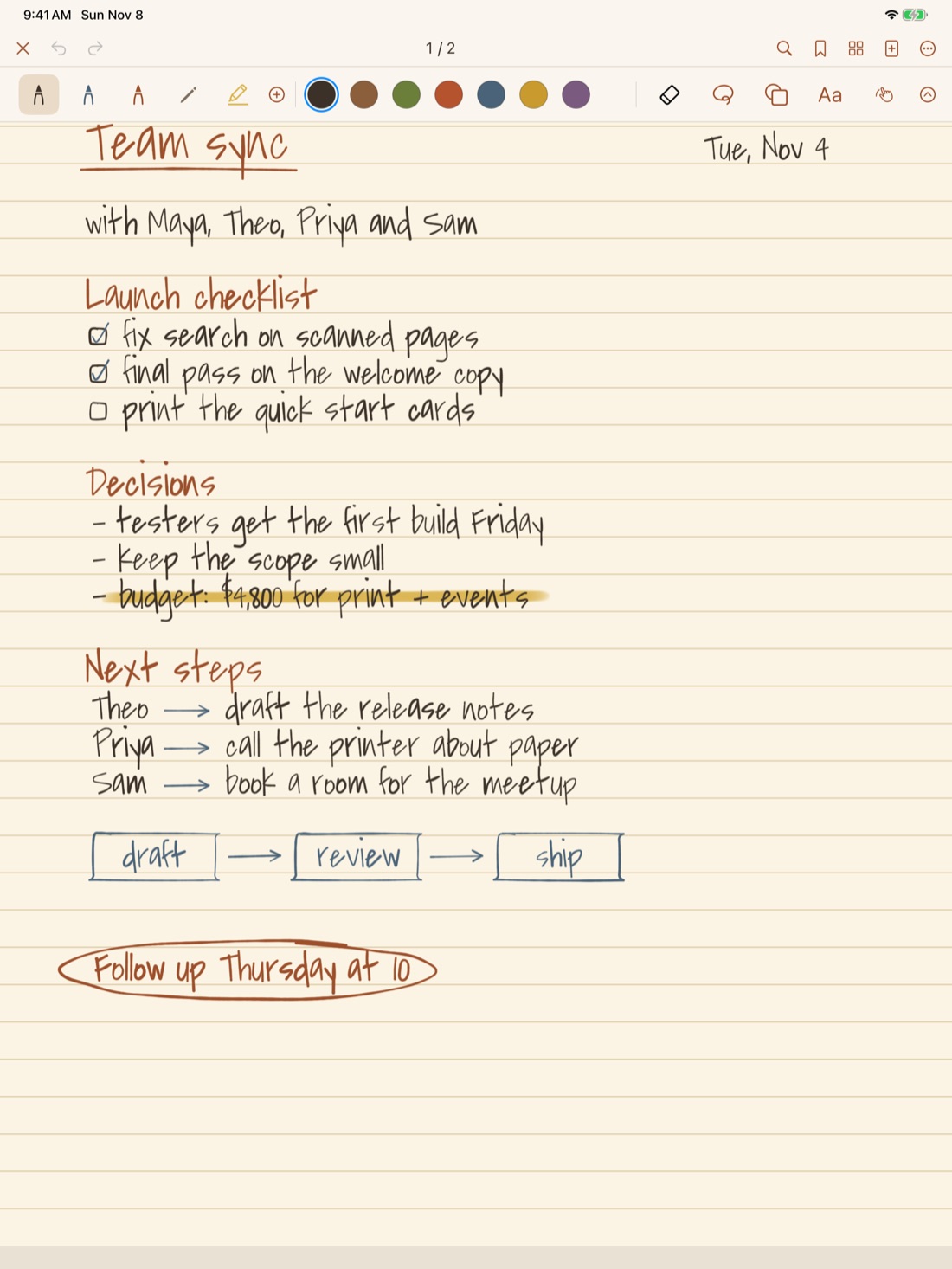
Free, without limits
Make as many notebooks, folders and pages as you like. No notebook cap, no trial that runs out.
Hard to lose a note
Earlier versions of each notebook, 30 days in Recently Deleted, and daily or weekly backups to a folder you pick.
Yours to take with you
Export Everything saves each notebook as a PDF and as a notebook file, whenever you want.
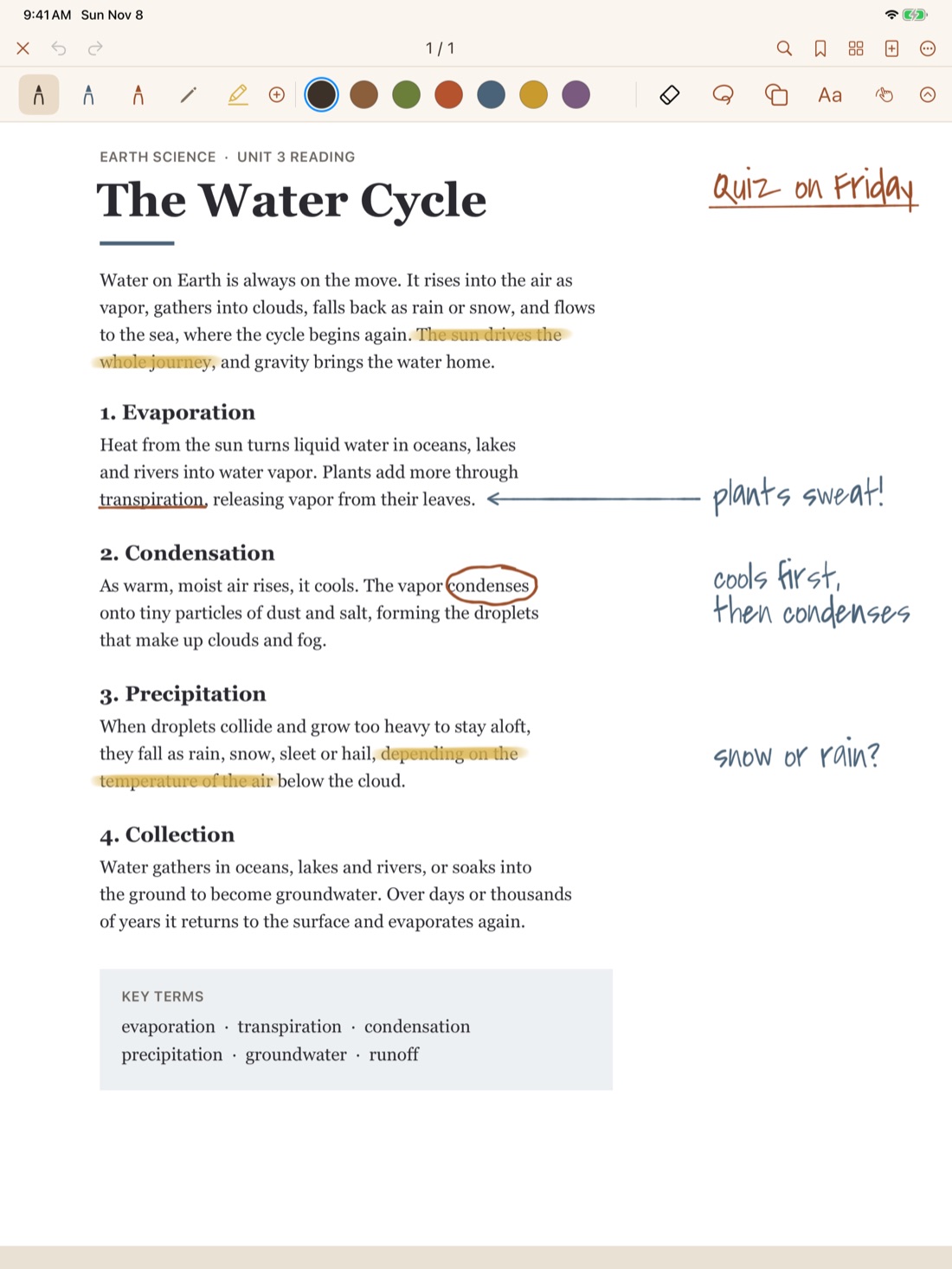
Write right on your PDFs
Import a PDF from Files and it opens as a notebook. Highlight it, write in the margins, tap its links and jump around with its table of contents.
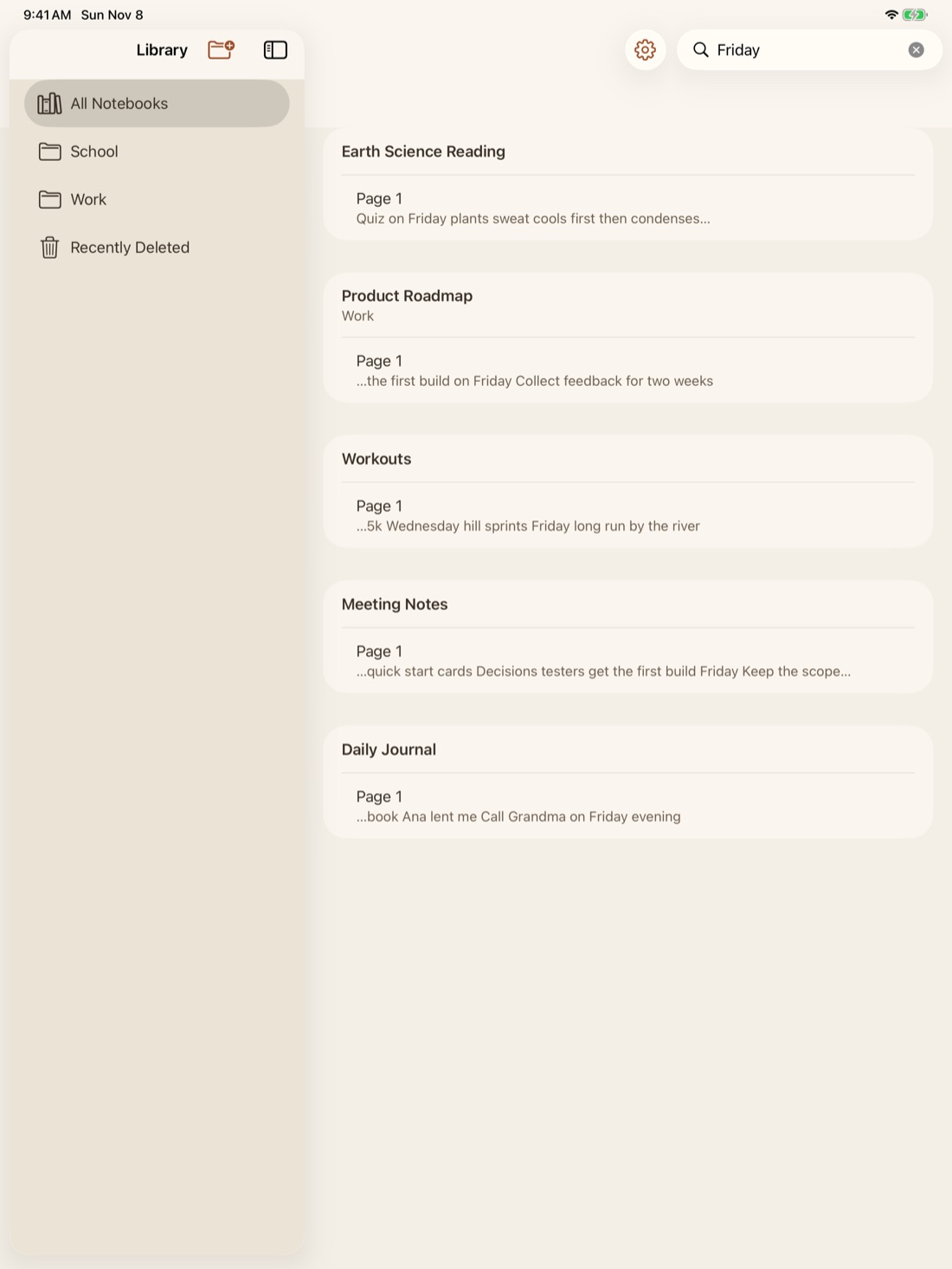
Search reads your handwriting
Look for a word and Inkkept finds it in your ink, in PDFs, photos and scans. The reading happens on your iPad.
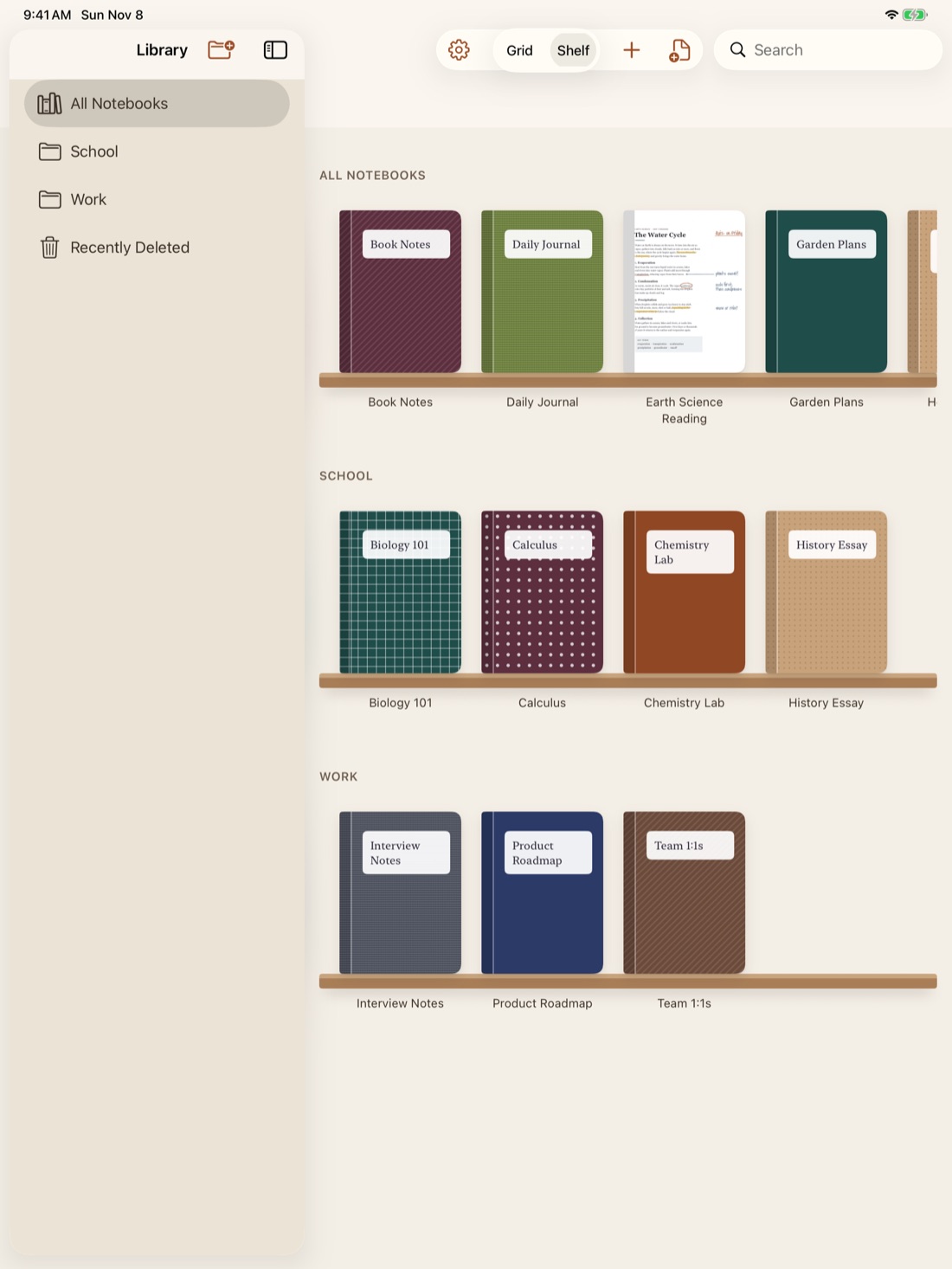
A shelf for your notebooks
Folders and subfolders, in a grid or on a shelf. Give each notebook a color, a pattern, a photo or its own first page as a cover.
Questions
Is Inkkept free?
Yes. Every feature is free, with unlimited notebooks, folders and pages, and there are no ads.
Do I need an account?
No. Open the app and start writing. iCloud sync uses the Apple Account already on your iPad.
Does it sync between devices?
Yes, between your iPads, through your own iCloud account. Inkkept is iPad only, so there is no iPhone or Mac app.
Do I need an Apple Pencil?
No. Apple Pencil works best, and you can turn on drawing with your finger in the toolbar.
Can I bring my notes from Goodnotes, Notability or Noteshelf?
Yes, as PDFs. Export your notebooks as PDFs from your current app, then tap Import PDF in Inkkept's library. Each one opens as a notebook you can keep writing on.
Can I search my handwriting?
Yes. Search reads your handwriting and the text in PDFs, photos and scans. The reading happens on your iPad.
How do I get my notes out?
Export Everything saves each notebook as a PDF and as a notebook file. You can also export one notebook or a few pages as a PDF.
Which iPads does it run on?
Any iPad with iPadOS 26 or later.
Coming from another app? See how Inkkept compares with Goodnotes, Notability and Noteshelf.
Your notes stay yours
Inkkept collects no data. No ads, no analytics, no trackers. Your notes stay on your iPad and, if you use iCloud, in your own iCloud account, which syncs them between your iPads and which I can't read. The privacy policy has the details.